The $30 GPS Jammer Problem: Diagnosing Fleet Tracking Blackouts
Cheap GPS jammers are blinding fleet trackers on a regular basis. Here's how to tell jamming from a hardware fault, and how to build a tracking setup that doesn't collapse when one signal disappears.
The problem nobody budgets for
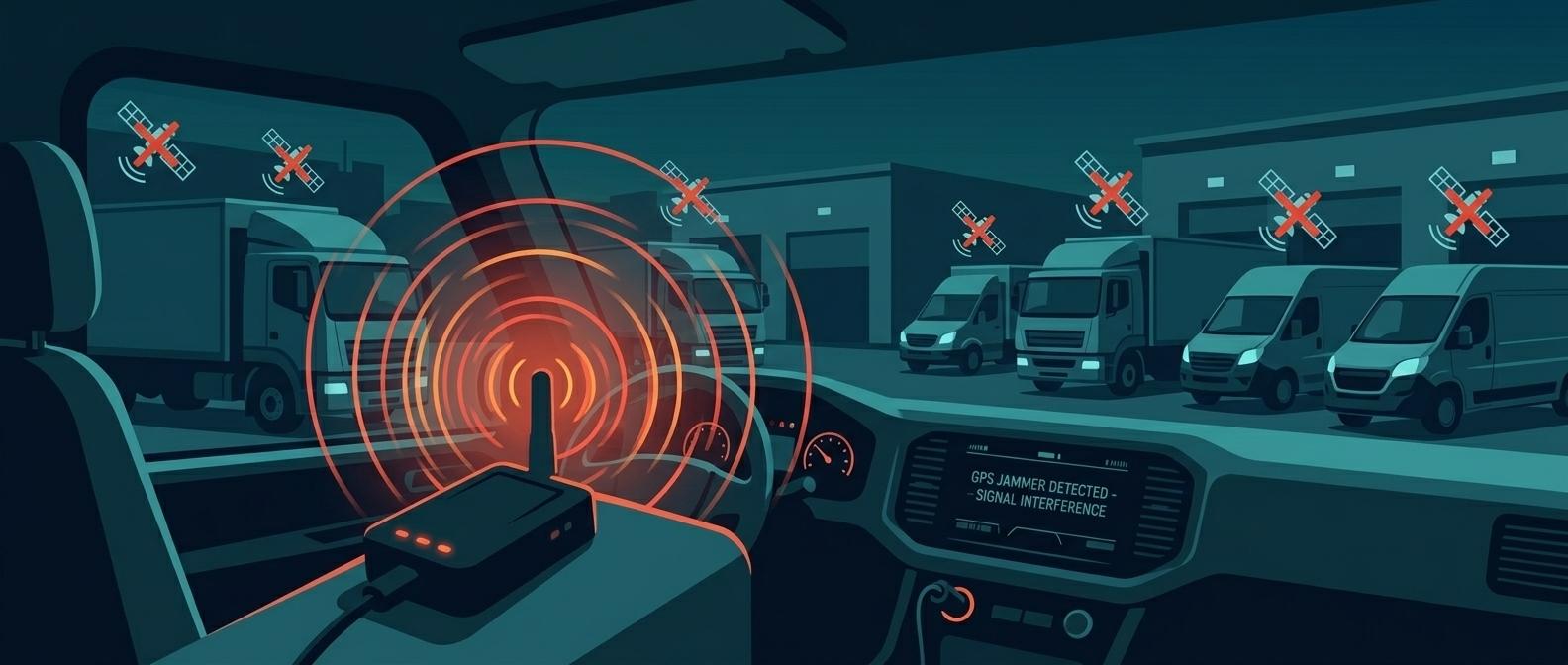
Commercial GPS jammers are cheap, small, and disturbingly effective. A unit costing around $30 is enough to defeat GPS-based fleet trackers on a moving vehicle, cutting the signal completely for as long as the device is powered on. These aren't military-grade spoofing tools — they're plug-into-the-cigarette-lighter gadgets sold openly online, and the person using one in your fleet almost certainly isn't a foreign adversary. It's a driver who doesn't want you to know where he went, how long he sat there, or why the truck took a detour that doesn't match the delivery manifest.
That's the uncomfortable part of this topic. Most of the GPS jamming your fleet will ever encounter is internal, not external. And because a jammed signal looks superficially like a dead zone or a hardware fault, a lot of it goes uninvestigated — logged as "GPS error," shrugged off, and repeated the following week.
Reading the symptoms: jamming vs. dead zone vs. broken hardware
Three different problems produce the same blank spot on your tracking map, and treating them the same way wastes time and lets the real issue continue. Here's how to tell them apart.
- A genuine dead zone (tunnel, underground parking, dense urban canyon, heavy foliage) is location-bound. It happens at the same physical spot regardless of which vehicle or driver passes through, and it happens every time, not on a schedule tied to a person.
- A hardware fault is usually intermittent and random. You'll see partial signal, erratic accuracy, or a unit that drops out and reconnects unpredictably across different routes and different days, often on the same vehicle regardless of driver.
- Jamming has a signature that gives it away once you know to look: a total, abrupt signal loss — not degraded accuracy, but nothing at all — that recurs on a repeating schedule tied to a specific vehicle or driver. If a truck loses GPS every Tuesday afternoon, that's not a coincidence and it's not a loose antenna connector. That's deliberate interference.
The giveaway most people miss is the abruptness. Natural signal degradation from foliage or buildings tends to be gradual — accuracy gets worse, then the fix is lost. Jamming is a hard cutoff, because the jammer is flooding the GPS frequency band with noise the receiver simply can't filter out.
Why institutional fleets are a bigger target than you'd think
If you manage vehicles for a government agency, a logistics company, a school district, or any organization where drivers are tracked for accountability, you have more motivated jammer users than a private fleet does. The incentives are obvious once you list them: hiding unauthorized routes, padding overtime claims, covering unauthorized personal stops, or — in fuel-card environments — enabling fuel diversion that a location record would expose. A driver who knows the dispatch office reviews route history has every reason to want a gap in that history at the exact moment it would be inconvenient.
This isn't a minor operational nuisance, either. Fleet operators are frequently required to maintain accurate vehicle location and movement records for compliance and liability reasons, and a jammed GPS feed creates exactly the kind of gap that turns into legal exposure — in a claims dispute, an insurance investigation, or a compliance audit, "we don't know where the vehicle was" is not an answer anyone wants to give.
A diagnostic checklist you can actually run
You don't need special equipment to start narrowing this down. Most of the diagnostic work is pattern-matching in data you already collect.
- Pull the outage log and cross-reference it against shift schedules. Does the signal loss cluster around a specific driver's shift, a specific route, or a specific time window (lunch, end of shift, a recurring stop)? Random distribution across drivers points away from jamming; concentration on one driver or one vehicle points toward it.
- Check whether the outage repeats weekly or on a pattern. A single dead spot that any vehicle hits is a coverage issue. The same vehicle losing signal at the same time every week is a behavioral signal, not a technical one.
- Look for "impossible route" jumps when the signal returns — the vehicle reappearing significantly farther from, or in a completely different direction than, where the last known position and elapsed time would allow. That kind of jump usually means the vehicle moved somewhere off the expected route while dark, not that the GPS unit "recalibrated."
- Correlate with overtime or fuel-card claims. If a driver with a jamming pattern also has above-average overtime submissions or unusual fuel purchase volumes, you've got enough to justify a direct conversation or a physical inspection of the vehicle.
- Physically inspect the vehicle. Jammers are usually plugged into a 12V outlet or hardwired near the OBD port. It's a five-minute check once you know which vehicle to look at.
None of this requires expensive tooling. It requires someone actually looking at the outage log with a critical eye instead of dismissing every gap as "GPS being GPS."
This isn't just a trucking problem anymore
What's happening to consumer and commercial fleet trackers is a smaller-scale version of something that has exploded across maritime and aviation tracking. GNSS jamming and spoofing in maritime shipping escalated sharply through 2025 — AIS position jumps that used to average around 600 km are now exceeding 6,300 km in some documented cases, and spoofing has become routine across dozens of exclusive economic zones. That's the same underlying weakness your fleet tracker has: a single GNSS signal, with no independent way to verify it, is trivial to disrupt or fake once someone decides it's worth the effort. The scale is different; the vulnerability is identical.
The response at the infrastructure level is instructive for fleet operators too. New monitoring systems built around commercial off-the-shelf multi-constellation GNSS receivers combined with RF-activity analysis are now being deployed around ports and airports specifically to detect and localize jamming and spoofing sources. If national infrastructure operators no longer trust a single GPS feed on its own, a fleet manager shouldn't either.
Fixes that actually reduce the blind spot
You're not going to make jamming impossible — a $30 device is disposable and easy to replace. What you can do is stop relying on a single point of failure for vehicle location.
Upgrade the receiver, not just the software. Multi-frequency, multi-constellation GNSS receivers paired with better antenna design are the core recommended mitigation against jamming and spoofing in the aerospace and defense world, and the same principle applies down-market. A tracker that only listens to GPS L1 is far easier to blind than one that also pulls GLONASS, Galileo, or a second GPS frequency band.
Add inertial dead reckoning as a bridge. Inertial navigation using accelerometers and gyroscopes can estimate a vehicle's movement during a GNSS outage — originally designed for tunnels and urban canyons, but it works exactly as well when the outage is caused by a jammer instead of a building. A tracker with dead-reckoning fallback won't just go dark; it'll keep estimating position until the satellite fix returns, then reconcile.
Use a secondary positioning layer. Some devices with Bluetooth capability keep reporting position through phone-based mesh networks — Apple's Find My network is the most widely cited example — even when the primary GPS chain is jammed. That's not a full replacement for fleet-grade tracking, but it's a free fallback detection layer that tells you an outage happened and roughly where, which is often enough to flag the incident for review.
Fix it at the policy level too. Technology only closes part of the gap. Pair the diagnostic checklist above with a clear policy: any repeated, unexplained GPS loss triggers a vehicle inspection and a conversation with the driver, tied explicitly to overtime and fuel-card review. Make sure drivers know that pattern is being watched — a lot of this behavior stops once people realize "GPS glitch" isn't a free pass anymore.
Building for resilience, not just coverage
The mistake in most fleet-tracking deployments is architectural: one GPS chipset, one data feed, one assumption that satellite positioning will always be available and honest. Treat GNSS as one input among several — multi-constellation reception, inertial backup, a secondary Bluetooth or cellular-triangulation layer, and a monitoring process that actually reads the outage logs for patterns instead of just uptime percentages. None of those pieces is exotic or expensive on its own. Put together, they turn a $30 jammer from a total blind spot into, at worst, a flagged incident with a rough last-known position and a driver who has some explaining to do.
If you manage a fleet right now, do this today: pull last month's GPS outage log, sort by vehicle, and look for any driver with more than one full signal loss on the same day of the week. That five-minute query will tell you more about your jamming exposure than any spec sheet will.
References
- GPS Tracker Jammers: The $30 Device That's Defeating Your Fleet Tracking
- Jammers GPS: How to Protect Your Fleet Operations?
- GPS Jammers Ruining Your Fleet? Learn How to Combat Them Like a Pro
- Dealing with jamming and spoofing — the growing importance of civilian GNSS resilience
- Countering GNSS Jamming and Spoofing for Aerospace and Defense Applications
- The Real Impact of GPS Jamming on Maritime Operations
- New GMV Monitoring System Detects and Localizes GNSS Spoofing and Jamming
Image: torkildr — BY-SA (via Openverse)
Leave a comment
Your email address will not be published. Required fields are marked *